CASTUS supports move (cut), copy, paste, and delete functions to move, organize, and delete your files.
MOVE - Choose the file(s) or folder you wish to move, then click on the move option. Next, navigate to the desired location where you want to place the file and click paste. This action will transfer the file from its original location to the new one.
NOTE: Previous versions of the software refer to this action as Cut instead of Move, but the functionality remains unchanged.
COPY -Choose the file(s) or folder you wish to copy, then select the copy option. Next, navigate to the desired location where you want to place the file and select paste. This action will create a duplicate of the file while keeping the original intact.
DELETE - To delete the selected file(s) or folder, simply choose the delete option. This action will move the items to the trash, which you can empty manually whenever needed.

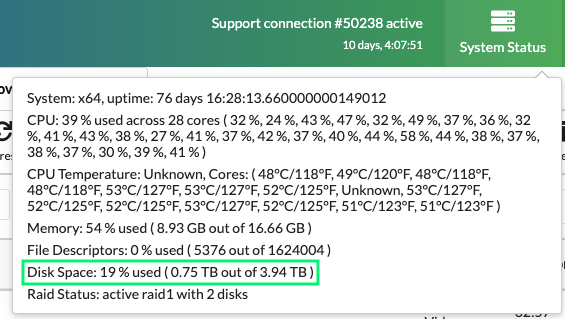
To check the available space on your hard drive, simply click on System Status located in the upper right corner of the version 5 user interface. For optimal performance, CASTUS advises maintaining your drive usage at 70% or less.