
When you delete content from QuickRoll or QuickCast, it is moved to a designated trash folder that requires manual emptying. This feature is designed to prevent unintentional loss of important content.
Establish a regular schedule for emptying your trash, tailored to the capacity of your server. Aim to keep your hard drive usage below 70%, as overfilled drives can negatively affect all aspects of your operation, including the quality of your broadcast.
Emptying the Trash
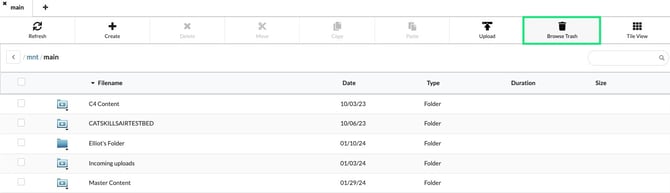
- Navigate to the Library and choose Browse Trash on the right hand side.
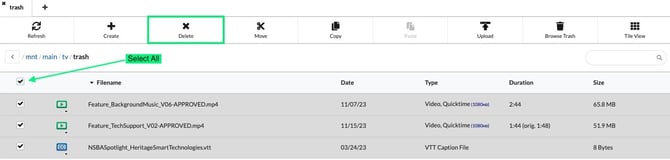
- You can select individual files or select all by choosing the checkmark above the file list.
- Choose Delete to permanently remove them from your server.
NOTE: It may take a little while for your server to reclaim the space from the deleted files, but you can monitor this progress in the System Status as the space is freed up.