
- Navigate to cloud.castus.tv and log into your account.
- Select Library.
- Use the Sort By pulldown menu to choose which item you want to sort by: Name, Duration, Size, Views or Date.
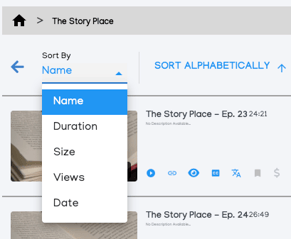 Utilize the sorting options on the right to select the order in which you want items to be arranged, such as ascending (A to Z) or descending (Z to A) for names.
NOTE: This method also allows you to quickly spot larger files, helping you free up space for new content.