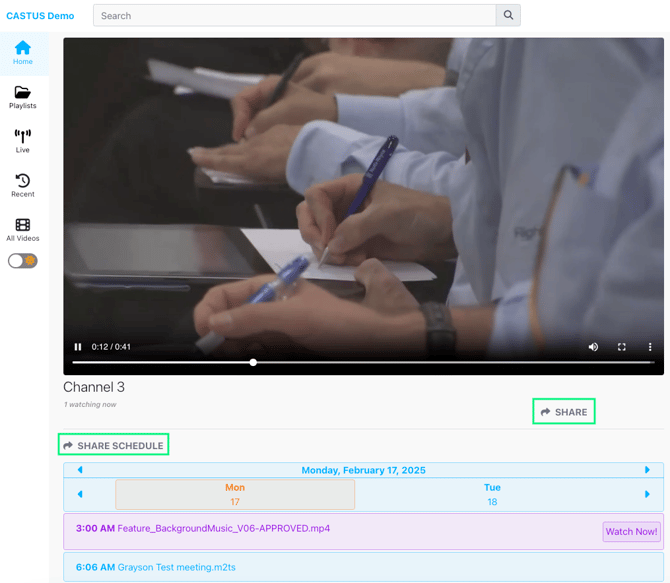
There are multiple ways to share your content with your users including linking to your public page, sharing links to specific videos, and embedding your content in another website.
Linking to your Public Page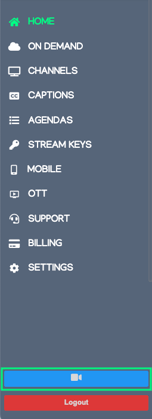
- Jump over to your public page from your back end portal by selecting the blue video icon on the bottom of the main navigation menu.
- The link in the browser bar is the shareable link for public access to your public page.
Linking & Embedding a Video
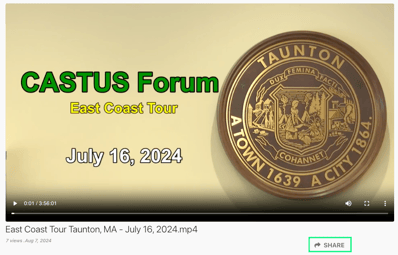
- Once on your public page, select a video to open the video’s page.
- Select the share button below the video window to open the share options.
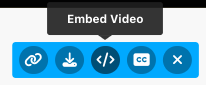
- Select the link icon to copy the video’s link to your clipboard.
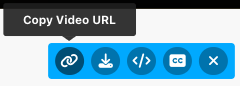
- Select the </> icon to copy the video’s embed code to your clipboard.
Linking & Embedding a Live Stream or Schedule
- Once on your public page, select a live stream to open your stream and schedule.
- Select the Share button below the video window to open the share options for your live stream.
- Select the link icon to copy the live stream’s link to your clipboard.
- Select the </> icon to copy the live stream’s embed code to your clipboard.
- Select the Share Schedule button above the schedule window to open the share options for your live schedule.

- Select the first icon to copy the schedule’s link to your clipboard.
- Select the second icon to copy the schedule’s embed code to your clipboard.