
SETTING UP THE CASTUS INPUT
- Navigate to CASTUS > Services > Inputs.
- Rename your desired input so it does not have any spaces or special characters, including dashes, in your CASTUS inputs list. This name will later become the "key" for your encoder.
- Open the Settings for the input.
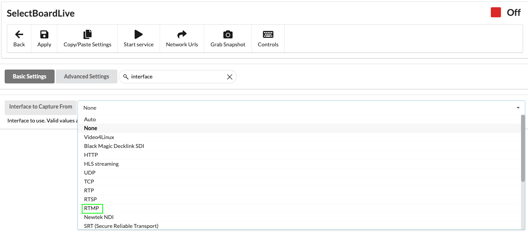
- For the Interface to Capture From, choose RMTP.
- Set the URL Source using the following syntax:
rtmp://LOCAL_CASTUS_IP:1935/castus-live/NAME_OF_INPUT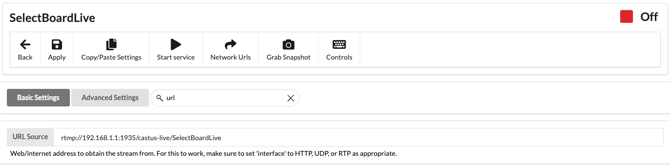
- Apply your settings.
NOTE: For help finding your local IP address, visit Identifying the Local IP Address of the Server
SETTING UP THE ENCODER
- Navigate to your encoder's stream settings.
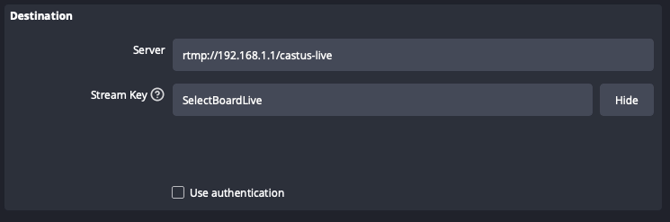
- If using a URL and Key, enter the following:
URL - rtmp://LOCAL_CASTUS_IP/castus-live
Key - NAME_OF_INPUT - If using a single line, enter the following:
rtmp://LOCAL_CASTUS_IP/castus-live/NAME_OF_INPUT
NOTE: For more information on IP inputs, visit Input Controls.
Need more help? C4 and C8 subscribers can submit a support ticket!