
About Reporting
Reporting offers three distinct report types: Channel, Runlog, and Inventory.
Channel: Displays the current Channel number, the Total Items count indicating how many times all items have been played, and the Unique Items count representing the total number of distinct programs that have aired.

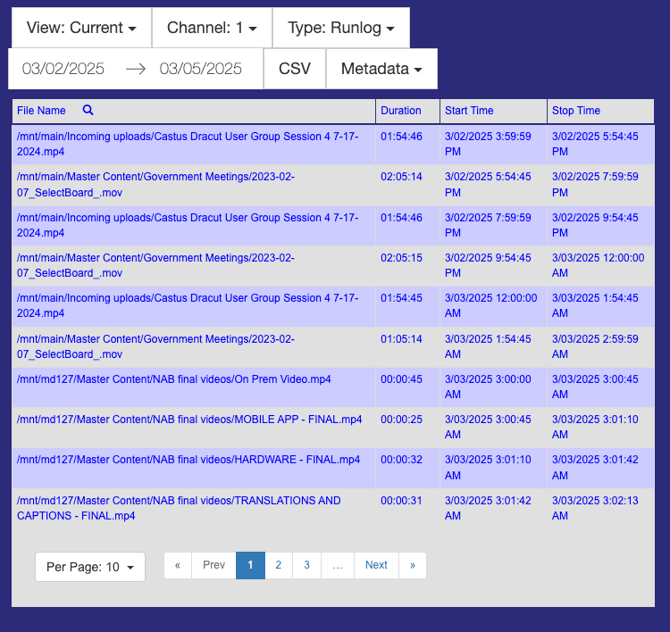
Runlog: Displays the File Name as a file path, along with the Duration of each item, and the Start Time and Stop Time for every instance played.
Inventory: Presents the File Name as a file path; Play Count, indicating how many times each item has been played; Played Time, reflecting the total duration that the item has aired; and First Play, which marks the initial date and time the item was broadcast on the channel.
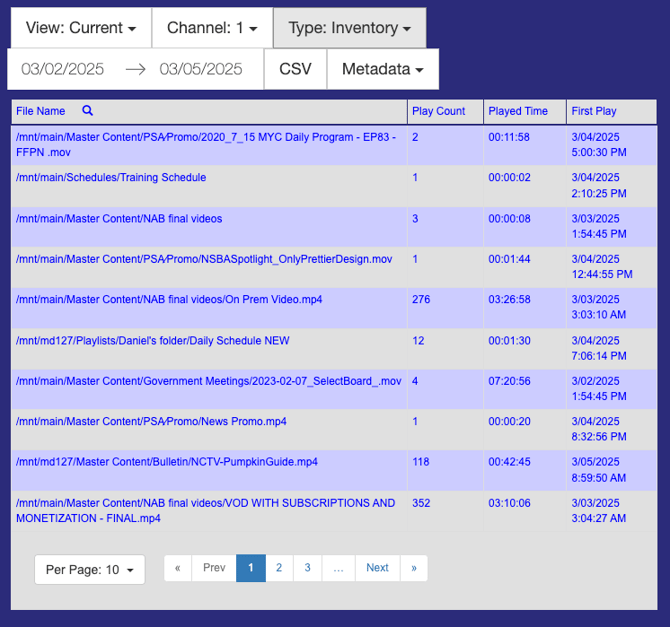
NOTE: Please be aware that the statistics provided are relevant only to the specific date range you have chosen in the calendar.
Creating a Report
- Select CASTUS > Reporting.
- To begin, choose the start and end dates for your playback report. This action will display a calendar, allowing you to navigate through the months conveniently.
- Choose a report type from the dropdown menu.
- Select additional categories from the Metadata dropdown menu to include more detailed information fields in your report.
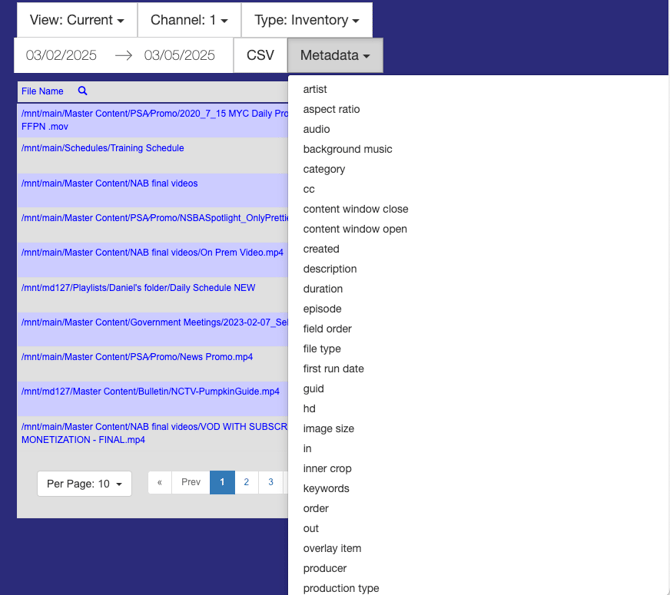
- To save a copy of the report to your device, simply click on the CSV button.