
The CASTUS server is capable of playing a wide variety of file types and can also record in several formats to meet your specific operational requirements. This functionality was introduced with the 5.5.0 software update on November 17, 2022.
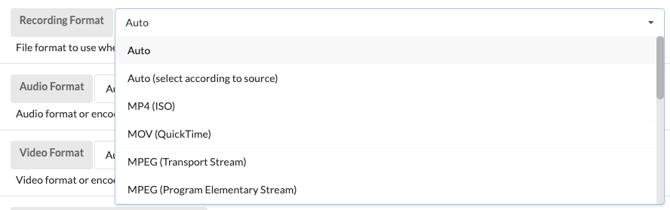
Recording video file types include: MP4 (ISO), MOV (QuickTime), MPEG (Transport Stream), MPEG (Program Elementary Stream), MXF (Material eXchange Format), AVI (Windows) MKV (Matroska), and FLV (Adobe Flash)
As well as a variety of audio-only file types: WAV (audio-only Windows), AIFF (audio-only Mac OS), MP3 (audio-only MPEG Layer III), OGG (audio-only, Xiph foundation), Opus (audio-only, Xiph foundation), and FLAC (audio-only lossless, Xiph foundation)
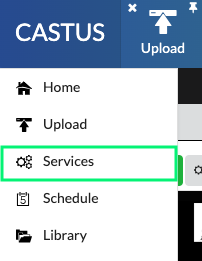
- Navigate to the CASTUS Menu in the top left and select Services.
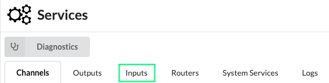
- Select Inputs.
- Select Settings next to the input you want to change.
- Click in the search bar under basic settings, and search for recording.
- Select the dropdown menu next to Recording Format and choose your desired format.
- Select Apply at the top of the screen to save the changes.