
GETTING STARTED
- QuickRoll units have more than 1 drive (forming the RAID) and the drives are not installed in the QuickRoll chassis itself to prevent damage to the drives and the "drive bays" during shipping.
- The drives are shipped in the same cardboard box in antistatic bags covered in bubble wrap and inserted into the front and back foam pieces.
- There are 3 available drive bays in the QuickRoll, but typically only 2 drives are installed, leaving 1 spare bay.
INSTALLING DRIVE(S)
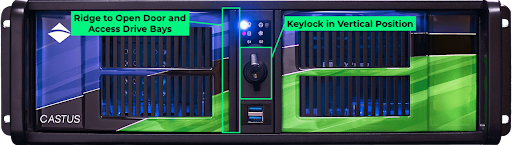
- Position yourself in front of the CASTUS unit so you can see the front decals, keylock, and left and right doors.
- Rotate the latch around the keylock to the vertical position so it is unlatched.
- Open the left outer door by inserting your left hand fingers under the right ridge of the door as shown in the diagram and pulling out on the door.
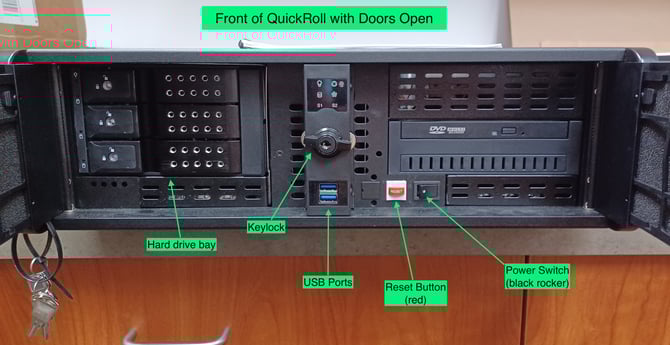
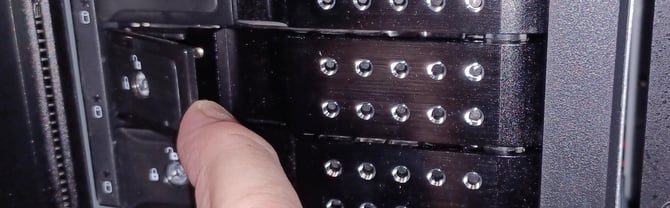
- Once the outer door is open, for each of the drive bays place your fingers under the release (⅓ of the distance from the left), and pull out to open the drive bay.
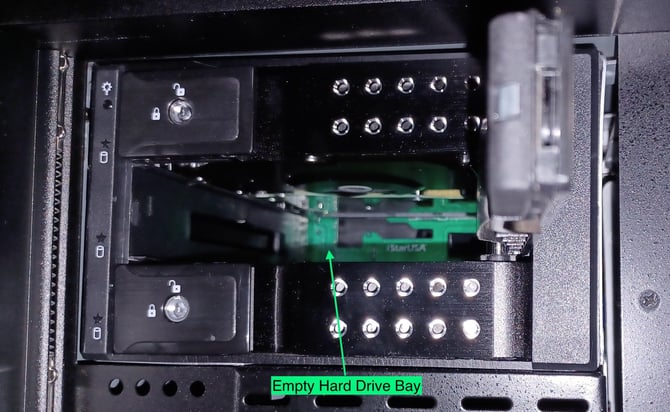
- Position the drive label up with the connector at the back bottom of the drive.
- Carefully keep the drive level and slide it partially into any of the slots as far as it will go without resistance. The drive order does not matter.
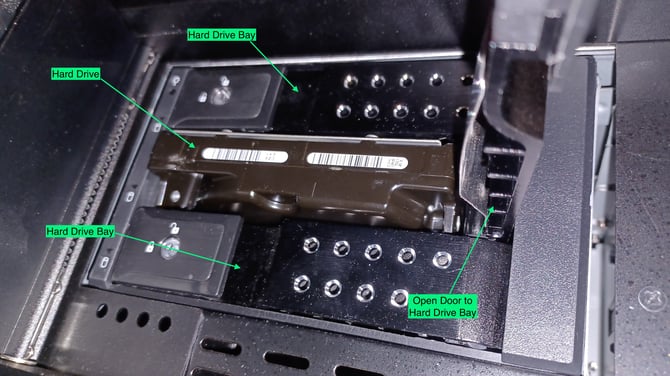
- Next, close the inner door gently, which will force the drive to slide the rest of the way in.
- You should feel mild resistance as it slides into the connector.
- Repeat for the other disk drive(s).
- Close the outer left door and rotate the keylock to the horizontal position to latch.
NOTES
- If multiple CASTUS units are shipped to one customer, then the CASTUS serial number will be written on the outside of the drive bag to make sure they go in the correct CASTUS.
- For the QuickRoll, you should plug in both power cords. One of them may be plugged into an UPS (Uninterruptible Power Supply).
- We recommend using the VGA output for the CASTUS control panel so you can have the HDMI output free for the Preview Monitor channel. However, you can choose to use the HDMI output as your primary monitor, but you won't be able to also view your Preview Channel on it.
- Once the unit is powered up it should prompt you for the login screen. The default login for the CASTUS is:
- login/user: root
- password: For security purposes, please call CASTUS Support for your default password (800.215.3880)