- To customize your public-facing video-on-demand website, click on Settings in the main menu.
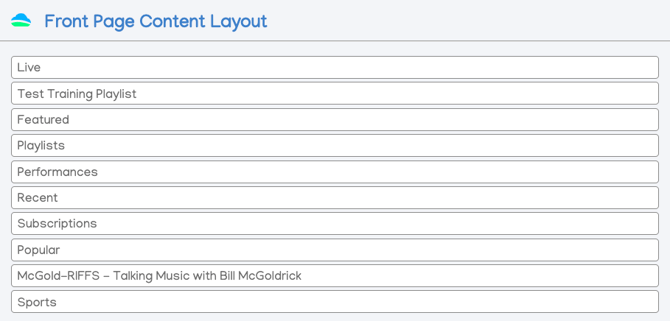
- The order content appears on the public page of your on-demand website can be changed by clicking and dragging the current fields. To add to this list, go to the playlist section and feature your desired playlist.
- Customize global behavior in this window by turning on or off items in the Behavior section.
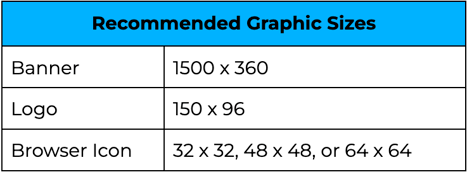
- Scroll down to Display Settings to adjust the name, banner and icons, as well as the hex colors of your video-on-demand web schedule.
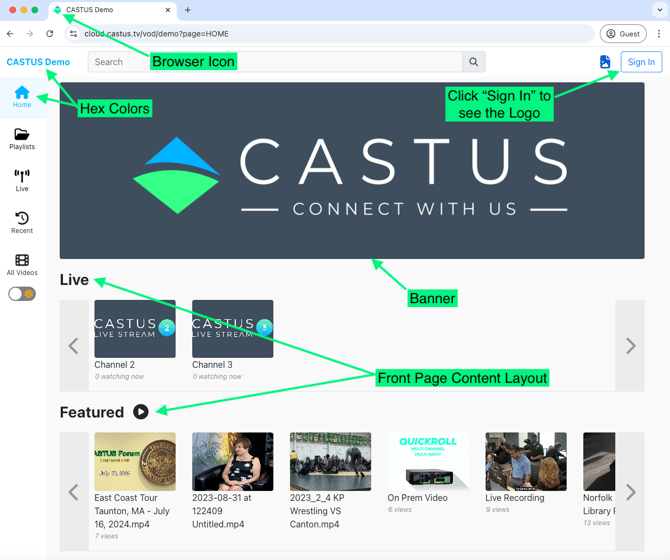
NOTE: The public page is accessible directly from the admin panel. Simply click the blue button located at the bottom left of the page to open your public page in a new window or tab.