
Live captions, file-based captions, and translations are additional services available in the CASTUS Cloud Portal. Cloud storage space or a subscription to Video On Demand is required for file-based captions in addition to the file-based caption subscription. For more information or to purchase any of these services, please reach out to sales@castus.tv.
Generating Captions
- Navigate to your CASTUS Cloud Portal and choose On Demand > Library.
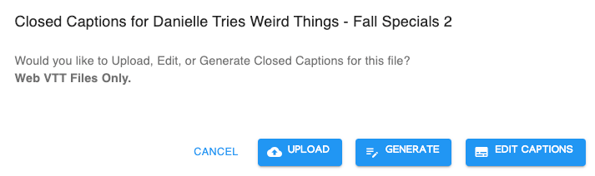
- Under your uploaded videos, there will be a series of icons. Choose the CC icon to bring up the caption menu.
- Choose Generate Captions to generate file-based captions.
Editing & Downloading Captions
- To edit your file-based captions, select the CC icon in the CCS Library and choose Edit Captions.
- Change the text in the green boxes to edit your captions.
- Save your changes with the Save Changes button in the center of the edit captions page.
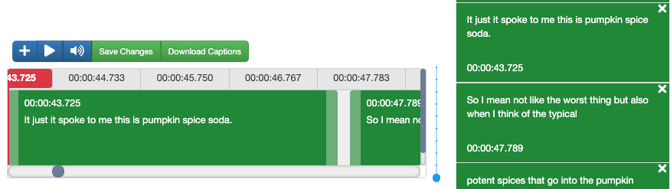
- To download your captions, choose the Download Captions option in the center of the edit captions page.
- File-based captions can be uploaded to your playback server and will play out with your file if it is in the same directory and named the same as your video file.