
- Log into the CASTUS Cloud Portal with your credentials.
- In the left navigation menu, select Channels followed by Live Channels.
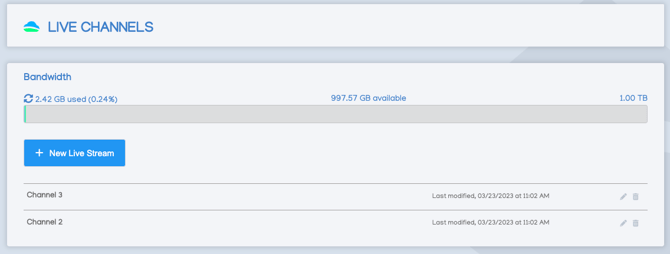
- The Bandwidth meter shows the monthly bandwidth allotted for your channels. The standard bandwidth allotment is 1TB/month.
- CASTUS will take care of configuring your live streams for you. To explore options for viewing, editing, recording directly to the cloud, or restreaming your content to platforms such as YouTube or Facebook, simply click the pencil icon located at the far right of the stream name.
- In the Metadata tab, rename your stream by editing the Title field and select Save on the top right of the window.
- To upload a custom thumbnail for your live stream, click on the Browse Files button located below the sample thumbnail. This step is highly recommended to enhance your stream's appearance. After selecting your desired image, be sure to click Save at the top right corner of the window. For optimal results, use a graphic with dimensions of 1280 x 800 pixels..
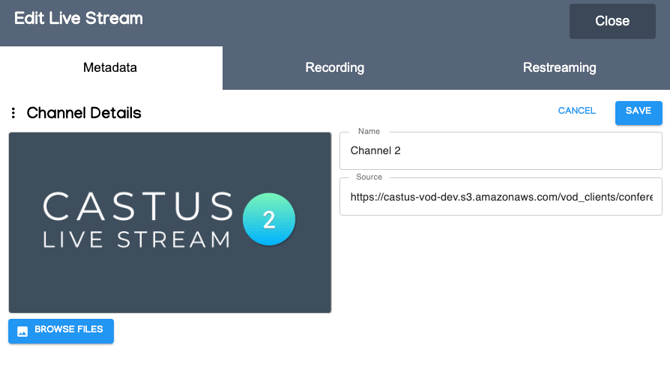
- To share your stream with another station, simply copy the Source field. Please note that this is not the link intended for sharing your stream with customers.
- To access and record your live stream directly to the cloud, click on the Recording tab.
- Select Record Stream to begin a cloud recording.
- At the conclusion of your recording, you will be prompted to trim, name, and save your file.
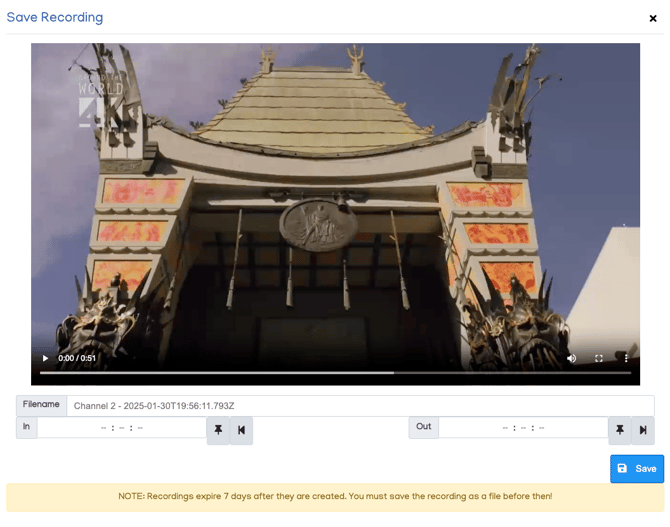
- The recording will be saved to the root folder of your cloud library.
- To broadcast your live stream on YouTube and/or Facebook, simply navigate to the Restreaming tab.
- To stream seamlessly on YouTube and Facebook, log in with your respective credentials and choose Go Live.
NOTE: Bandwidth applies to all views of your content including live streaming on the VOD page, mobile app, and OTT apps as well as VOD video views. If you are regularly reaching your bandwidth cap, please reach out to sales@castus.tv to upgrade.